
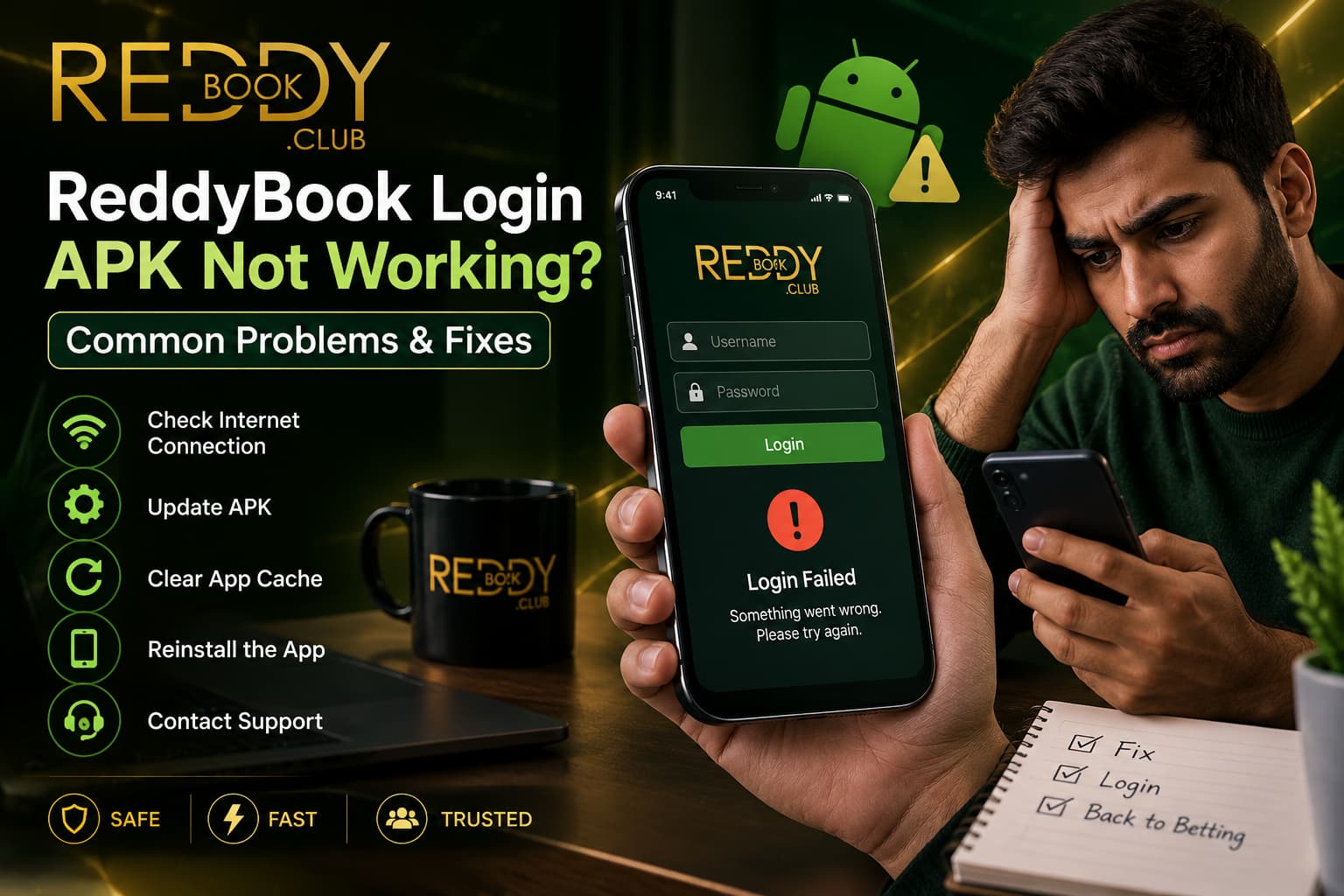
Opening the Reddy Book APK and finding that we cannot log in can be frustrating, especially when the app worked normally before. We may enter our details, tap the login button, and see an error. In other cases, the page may keep loading, return to the same screen, or fail to open at all.
It is easy to assume that the account has been blocked or that something serious has happened. However, an APK login problem does not always mean there is an issue with our account. The cause can be as simple as a weak internet connection, incorrect credentials, an outdated Android application, corrupted temporary data, or a temporary platform issue.
The best approach is to identify where the failure begins. If the APK itself will not open, we have an application problem. If the login page opens but rejects our details, we may have a credential or account-access issue. If everything works until we press the login button, connectivity or temporary service problems may also need to be considered.
We should also be careful about the fixes we find online. Installing random APK files or sharing account credentials with someone who claims to provide instant support can turn a simple login problem into a security problem.
Because app versions and account procedures can change, we should use current Reddy Book information when checking version numbers, recovery methods, or support channels rather than relying on old screenshots and third-party claims.
First Identify What Is Actually Not Working
Before changing settings, we need to understand the problem.
Some users say that “login is not working” when the application itself will not launch. Others can open the APK but cannot reach the login screen. A third group can reach the screen normally but their credentials are rejected.
These situations require different solutions.
If the app immediately closes, updating a password is unlikely to help. If the app works normally but says our password is incorrect, reinstalling it may not solve anything.
We should note exactly what happens after opening Reddy Book. Paying attention to the point where the process fails can save us from making unnecessary changes.
Check the Internet Connection Before Changing Anything
A stable internet connection is essential for an online account to communicate with its platform.
If the Reddy Book APK opens but keeps loading, shows blank sections, or fails after we press login, we should check whether other online services work normally on the same phone.
Sometimes Wi-Fi appears connected even though internet access has stopped.
We can briefly test another trusted website or application. If nothing loads, the issue is more likely to be our connection than Reddy Book.
Switching between a trusted Wi-Fi connection and mobile data can help us identify whether one network is causing the problem.
We should avoid changing passwords or reinstalling applications until we know the internet itself is working properly.

Check the ReddyBook Login Details Carefully
Credential errors are another common reason an account cannot be opened.
When entering ReddyBook Login information, we should check every character before assuming the application is broken. Small mistakes can be difficult to notice on a mobile keyboard.
An unwanted space can be added when credentials are copied from another application. Capital letters may also matter depending on how the current login system handles passwords.
If we use password autofill, we should make sure it has not inserted an old password.
Repeatedly entering different guesses is not a good troubleshooting strategy. If we genuinely cannot remember the correct credentials, the appropriate account-recovery process is safer than continuing to guess.
Make Sure We Are Using the Correct ReddyBook ID
An account ID and password perform different functions.
Our ReddyBook ID identifies the relevant account, while the password or other verification method helps protect access to it.
If we have more than one saved username, an old screenshot, or credentials received a long time ago, we may accidentally enter the wrong ID.
We should compare the information with the details we normally use.
We should not create another ID simply because the existing one fails once. A login error can often be investigated without creating a second account.
Keeping one clear set of account credentials also makes future recovery much easier.
The Reddy Book APK May Be Outdated
Mobile applications change over time.
An older APK may eventually become incompatible with current platform services or newer Android software. It might still open but fail when it tries to communicate with updated systems.
If our Reddy Book login suddenly stops working after a long period without updating, the application version is worth checking.
However, we should not respond by installing the first file labelled “Latest 2026 APK” that appears in search results.
The word “latest” is not proof that an APK is genuine or current.
We should verify the present supported version through a trusted Reddy Book source before replacing an existing installation.
Avoid Random APK Websites When Updating
A login error often sends users searching for another APK.
This can create a security risk.
Before starting a new ReddyBook download, we should confirm that the source is connected with the current platform rather than an unknown APK directory, social post, Telegram message, or forwarded link.
A copied application can display the Reddy Book logo and an almost identical login page.
If we enter credentials into a fake app, those details could be exposed.
We should therefore treat the source of the APK as part of login security. Fixing access is not useful if the solution puts the account at greater risk.
Clear Temporary App Data Carefully
Applications store temporary information to help screens load faster. Sometimes that stored data can become outdated or corrupted.
If the APK opens but behaves strangely, clearing the app cache may help.
Android settings differ between devices, but application information is usually available through the phone’s app-management area. Cache can often be cleared without deleting all account-related application data.
We should distinguish between clearing cache and clearing all application storage.
Removing all data may sign us out and reset local settings.
Before taking that step, we should make sure we know our correct credentials and understand what will be removed.
Restart the ReddyBook App and Android Phone
Restarting sounds simple, but it can solve temporary problems.
If the ReddyBook App has remained open in the background for a long time, closing it fully and opening it again can refresh the session.
If that does not help, restarting the phone can clear temporary system processes that may be interfering with the application.
We should try these basic steps before making larger changes.
A restart does not fix an expired password, unsupported APK, or account restriction. But it can resolve a temporary software issue without changing account information.
Simple checks are useful because they help us eliminate possible causes one by one.
Check Android Compatibility
An APK that previously worked may behave differently after a major Android update.
Applications need to remain compatible with the operating system, and older builds may not function correctly on newer devices.
If login problems started immediately after an Android update, compatibility should be considered.
We should check whether a supported Reddy Book version is currently available for our Android environment.
The opposite problem can also occur. A very old Android device may not support a newer application build.
If the APK refuses to install or crashes before reaching login, device compatibility is more likely than an incorrect password.
Check Date and Time Settings on the Phone
Incorrect date and time settings can sometimes affect secure online connections.
If our phone’s clock is significantly wrong, certain authentication or security processes may fail.
Using automatic date and time settings provided by the mobile network is usually the simplest approach.
This is not the most common reason for a Reddy Book login problem, but it is an easy check when other basic steps have failed.
We should particularly consider it if other secure applications are also behaving unexpectedly.
After correcting the settings, we can restart the application and try the login process again.
Check Whether the ReddyBook Account Needs Recovery
If the application works normally but our known credentials are consistently rejected, the issue may be account-related rather than technical.
A ReddyBook Account may require password recovery if we have forgotten or changed our credentials.
We should use the current authorised recovery process rather than asking strangers online to unlock the account.
Account recovery may require verification to confirm that the account belongs to us.
That is different from an APK problem.
Understanding the distinction helps us avoid repeatedly reinstalling an application when the real issue is simply that the login credentials need to be recovered.
Do Not Create a New Account as the First Fix
When login fails, creating another account can seem faster than recovering the existing one.
It can also create confusion.
If we have already completed ReddyBook Registration, our existing profile may contain account history and other information that is not connected to a newly created profile.
A second account does not repair the original login.
Before considering any new registration, we should identify whether the existing account can be recovered through the proper process.
Keeping account access organised is particularly important when financial transactions are involved.
Troubleshooting should focus on restoring legitimate access rather than creating unnecessary duplicate credentials.
What if the Login Button Does Nothing?
Sometimes the login page loads and accepts our details, but pressing the button appears to do nothing.
This may indicate an interface, network, or temporary session problem.
We can first wait a moment rather than pressing the button repeatedly.
Multiple rapid taps can sometimes create duplicate requests without giving the application enough time to respond.
If nothing happens, we can close and reopen the app after confirming the internet connection.
We should also check whether the application is an outdated version.
If the same problem continues consistently, it may be appropriate to check the current support information rather than experimenting with unrelated Android settings.
What if the APK Shows a Blank Screen?
A blank screen can occur before or after login.
This usually points more toward application loading than incorrect credentials.
We can check our connection, restart the app, and verify that the current APK is compatible with our phone.
Temporary cache problems may also contribute.
If the screen becomes blank only when we open one particular section, the problem may be limited to that part of the platform rather than the whole application.
We should avoid uninstalling immediately unless there is a clear reason.
Identifying whether the issue affects the entire app or one section can make troubleshooting more precise.
What if the Reddy Book APK Keeps Crashing?
Repeated crashes suggest a software problem rather than a normal login rejection.
The APK may be corrupted, outdated, incompatible, or affected by limited device resources.
We should check available phone storage and close unnecessary background applications.
If the installation file came from an uncertain source, we should not keep trying to force it to run.
Instead, we should verify whether a current legitimate version is available.
If the correct APK still crashes consistently on a supported device, current Reddy Book support may be better placed to clarify whether there is a known application issue.
Reinstall Only After Checking the Source
Reinstallation can help when application files have become corrupted.
However, it should not be our first response to every login problem.
Before uninstalling, we should make sure we know the correct account credentials and can obtain the replacement APK from a trusted current source.
We should not remove a working older installation and then discover that the replacement came from an unknown website.
After reinstalling, we should inspect the app before entering sensitive information.
The branding, interface, and expected behaviour should make sense, but appearance alone is not enough to establish authenticity.
Source verification remains the more important check.
Do Not Disable Android Security Just to Make the APK Work
Android may warn us about unfamiliar applications or risky installation sources.
We should not treat every warning as an obstacle that needs to be bypassed.
Some websites tell users to disable security scanning or multiple phone protections before installing an APK. That can expose the device to unnecessary risk.
If the current legitimate Reddy Book installation process requires a specific permission, we should understand that permission and limit it to the necessary source.
We should not leave broad installation permissions enabled for unrelated applications.
A login fix should never require us to make the entire phone less secure.
Be Careful With Fake Reddy Book Login Pages
Fake login pages can appear inside browsers as well as unofficial applications.
They may copy the gold Reddy Book logo, account fields, buttons, and colours very closely.
Their purpose may be to collect our username and password.
If an APK suddenly sends us to an unfamiliar external page for login, we should check what is happening before entering anything.
Unexpected requests for banking passwords, UPI PINs, card PINs, or unrelated verification codes are serious warning signs.
Normal account login and banking authorisation are separate processes.
We should stop if the requested information does not make sense for the action we are performing.
Avoid “Special Login APK” Claims
Another warning sign is an APK that claims to bypass normal account restrictions.
We may see phrases such as “unlimited login,” “VIP APK,” “fixed login,” or “premium unlocked version.”
These claims should not be treated as legitimate troubleshooting methods.
A modified APK cannot safely replace the proper account recovery or verification process.
If our account requires attention, the solution should come through normal Reddy Book account procedures.
Downloading modified software simply because it promises instant access can expose both our phone and account credentials.
The safest fix is often less exciting: identify the error, verify the software, and follow the proper recovery route.
Login Problems and Sports Betting Access
If we cannot log in, we may worry about missing a cricket match or changing odds.
That urgency can lead to poor decisions.
Access to ReddyBook Sports Betting should not encourage us to rush through security warnings simply because an event is about to begin.
There will always be other matches and markets.
Protecting the account matters more than gaining immediate access to one event.
We should never install an unknown APK because somebody says it is the only way to enter the platform before a match starts.
Urgency is often exactly what makes users overlook suspicious files or links.
Do Not Chase Missed Bets After Login Is Restored
Once access returns, we may feel that we need to compensate for opportunities we missed while the app was unavailable.
That is not a useful approach.
With ReddyBook Betting, each future selection still carries its own uncertainty regardless of how long we were unable to access the account.
A login problem does not create a financial debt that we need to recover through betting.
We should return to our normal entertainment budget rather than increasing stakes.
Restoring access solves a technical or account problem. It does not change the probability of the next sports result.
Keeping those two ideas separate can help us avoid impulsive decisions.

Check Casino Activity After Regaining Access
If our login problem was unexpected and we are unsure why it happened, reviewing account activity can be sensible.
Where available, we can check whether ReddyBook casino activity or other account records show anything we do not recognise.
An unfamiliar transaction or game entry deserves attention.
We should avoid continuing with more financial activity until we understand what happened.
If everything appears normal, the original login failure may simply have been technical.
If something looks suspicious, we should secure our credentials and use a verified support route.
Account review is particularly important if we entered credentials into a page or APK that we later realised was unverified.
Read more : Reddy Book WhatsApp Support – How to Get Account Help
What to Do if Nothing Fixes the ReddyBook Login APK
If the internet works, credentials are correct, Android is compatible, and the current trusted APK still refuses to log in, we should stop repeating the same troubleshooting steps.
At that point, the issue may require account or platform support.
We should use a current verified Reddy Book contact route rather than a random phone number found in comments or public groups.
When explaining the issue, we can mention what happens when we attempt to log in, the error shown, and the basic troubleshooting already completed.
We should not send passwords, banking credentials, or sensitive verification codes to strangers claiming they can repair the APK remotely.
Clear information is more useful than oversharing.
Read more : ReddyBook Green APK Download – Latest Android Version 2026
A Safer Way to Handle ReddyBook Login APK Problems
ReddyBook official Login APK problems become much easier to handle when we separate technical issues from account issues.
We should begin with the simplest checks: confirm the internet connection, verify the login details, restart the app, and make sure the Android device is working normally.
If the APK appears outdated or unstable, we should verify whether a current supported version is available before replacing it. Downloading random “latest” files is not a safe shortcut.
When the application works but credentials fail, account recovery may be more relevant than reinstalling software. If the APK itself crashes or refuses to open, compatibility, installation integrity, storage, or version problems deserve more attention.
We should also keep security at the centre of every fix. Fake login pages and modified APK files can imitate Reddy Book branding closely, so visual appearance alone cannot prove that a file is trustworthy.
Finally, we should not let a cricket match, changing odds, or a desire to return to betting push us into rushed troubleshooting. A missed betting opportunity is less important than protecting our device and account.
By checking one possible cause at a time, we can understand whether the ReddyBook Login APK problem comes from our credentials, Android device, internet connection, application version, or account status. That gives us a much clearer and safer path toward restoring access.
Explore : https://reddybook.si/
FAQ
1. Why is my ReddyBook Login APK not working?
The APK may fail because of an unstable internet connection, incorrect login details, an outdated app version, Android compatibility issues, corrupted temporary data, or an account-access problem.
2. What should we check first when the ReddyBook APK login fails?
We should first check our internet connection and make sure other online services work normally. After that, we can carefully verify our account ID and password.
3. Why does the ReddyBook APK open but not let us log in?
If the APK opens normally but rejects our details, the issue may involve incorrect credentials, an outdated saved password, account status, or a temporary authentication problem.
4. Can an outdated Reddy Book APK cause login problems?
Yes. An older APK may become incompatible with newer platform services or Android versions. We should verify whether a current supported version is available before updating.
5. What should we do if the ReddyBook APK keeps crashing?
We can restart the app and phone, check available storage, review Android compatibility, and confirm that the APK came from a trusted source. Repeated crashes may indicate a software or installation problem.
6. Can clearing the app cache fix ReddyBook login problems?
It can sometimes help when temporary application data has become outdated or corrupted. We should distinguish between clearing cache and deleting all app data, as the latter may remove saved settings.
7. Why does the ReddyBook APK show a blank screen?
A blank screen may result from a weak connection, temporary loading issue, corrupted cache, outdated APK, or device compatibility problem. It does not necessarily mean our account has been blocked.
8. Should we reinstall the ReddyBook APK if login is not working?
Reinstallation can help with corrupted application files, but it should not always be our first step. We should check our connection, credentials, APK version, and source before reinstalling.
9. Is it safe to download a modified ReddyBook Login APK?
We should avoid unverified modified APKs, especially those promising unlimited login, guaranteed winnings, VIP access, or account-restriction bypasses. Such files can create device and account security risks.
10. Should we create a new ReddyBook account if login fails?
A new account should not be the first solution. If we already have an account, we should identify whether the issue involves our credentials, APK, device, or account recovery process.