
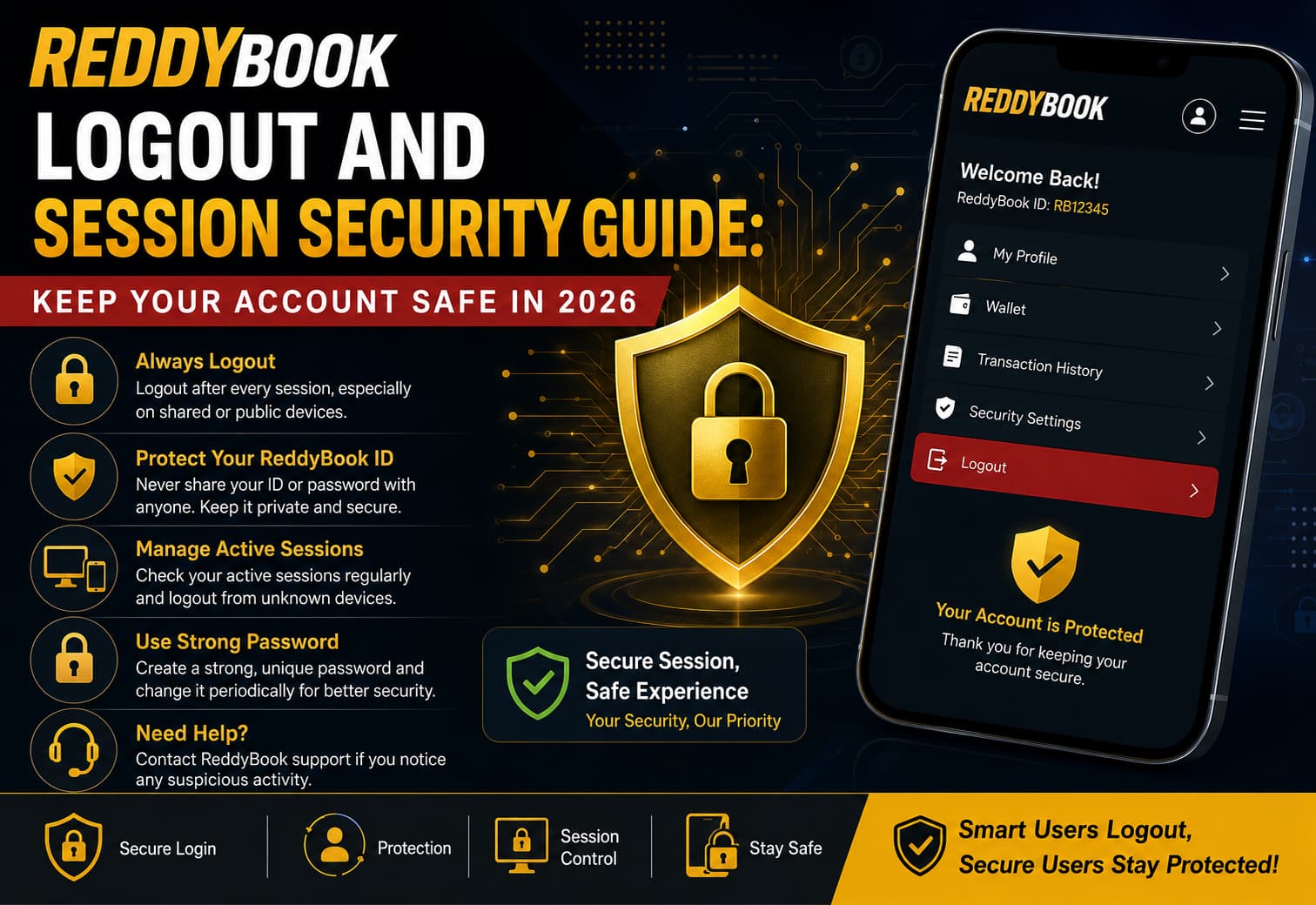
As online platforms continue to improve, account security has become more important than ever. While creating a strong password is essential, many users overlook another critical step logging out properly after every session. Whether you’re using your personal smartphone, laptop, or a shared device, ending your session correctly helps prevent unauthorized access and keeps your account protected.
This ReddyBook Login Guide explains how secure sessions work, why logout is important, and the best practices to keep your ReddyBook ID safe in 2026. If you’re looking for a complete guide to protecting your account, this article covers everything you need to know.
Why Logout Is an Important Part of Account Security
Most ReddyBook users are of the opinion that simply shutting down the browser or the application will lock their accounts. What is not known is that the login session may be active even after such a process, especially if one has not logged out from the account properly. Anybody who accesses the computer after that will not need to log back into the account once more.
It will simply mean that you have finished working with the account once you log out. You do not have to go through the trouble of doing anything extra for that, as just doing this will help to make your account safe.
Good account security is not achieved via just one thing; it is the sum of good practices. Logging out is one of them.
Understanding ReddyBook Session Security
A session begins the moment you successfully complete your ReddyBook Login and ends when you log out or when the system automatically expires the session after inactivity.
Session security refers to the technology used to protect your account while you’re logged in. Modern platforms use encrypted sessions and secure authentication methods to help ensure that only the authorized user can access the account.
Some common session security features include:
- Encrypted login sessions
- Automatic inactivity timeout
- Secure authentication
- Device recognition
- Protection against unauthorized access
These technologies work together to provide a safer user experience.
Read More>>>Why Reddy Book Is India’s Most Trusted Online Betting Platform
Why Your ReddyBook ID Deserves Extra Protection
The ReddyBook ID is more than an ordinary user name as this is how your identity is identified on the website. This is where all your profile information, transaction information, and other details will be stored. Your ReddyBook ID is thus an extremely sensitive thing which needs to be secured at all costs.
Never under any circumstances share your user name and password with anybody, even if it’s someone pretending to be from the customer support team. Official customer support teams do not ask you for passwords. Securing your account details will prevent any kind of misuse of your account by others.
Protect your ReddyBook ID like how you protect your Internet banking and personal email IDs.
The Right Way to Log Out of Your ReddyBook Account
Logging out only takes a few seconds, but it provides long-lasting protection for your account. After you finish using the platform, simply access your profile or account menu and select the logout option. Wait until you are redirected to the login page before closing your browser or mobile application.
If you’re using a shared computer, it’s also a good idea to close all browser windows after logging out. This prevents browser sessions from being restored later and provides an extra layer of protection.
Making this small habit part of your routine can significantly improve your overall account security.
Always Log Out When Using Shared Devices
Many security incidents occur because users forget to log out after using public or shared devices. Internet cafés, office computers, school systems, hotel business centers, and even a friend’s laptop can all pose risks if an account remains signed in after use.
Even trusted family devices should not be left with permanently active sessions if multiple people have access to them. Logging out ensures that your account remains private regardless of who uses the device next.
Whenever you access your account outside your personal device, make logging out your final step before leaving.
Keep Your Mobile Device Secure
As smartphones have become the primary way many users access ReddyBook, mobile security is equally important. Protecting your phone helps protect your account.
Always keep your operating system updated, install applications only from trusted sources, and secure your phone using fingerprint authentication, facial recognition, or a PIN code. If your device is ever lost or stolen, these protections help prevent unauthorized access to your ReddyBook account.
Mobile convenience should never come at the expense of security.
Avoid Unofficial Websites
Cybercriminals sometimes create fake websites designed to imitate legitimate platforms. These websites may look convincing but are intended to collect usernames and passwords.
Before entering your ReddyBook Login details, always verify that you are visiting the official website. Check the website address carefully and avoid clicking suspicious links received through unknown emails, messages, or social media.
Accessing only the official platform is one of the simplest ways to protect your account from phishing attempts.
Recognize Signs of Suspicious Account Activity
Being aware of unusual account behavior allows you to respond quickly if something seems wrong. Unexpected password reset requests, login alerts from unfamiliar devices, changes you didn’t make, or activity you don’t recognize may all indicate unauthorized access.
If you notice anything unusual, change your password immediately and contact customer support for assistance. Acting quickly can help prevent further security issues and protect your account.
Regularly reviewing your account activity is a smart habit that supports long-term account safety.
Automatic Session Timeout Adds Another Layer of Protection
Modern online platforms often include automatic session timeout features that end inactive sessions after a certain period. This helps protect users who accidentally leave their accounts open.
While automatic logout provides valuable protection, it should not replace manually signing out after every session. Users who actively log out maintain greater control over their account security and reduce unnecessary risks.
Think of automatic session timeout as a safety net rather than your primary security strategy.
ReddyBook Security Is a Shared Responsibility
ReddyBook continues to improve its platform with modern security technologies, encrypted connections, and reliable authentication systems. However, platform security is only one part of the equation. Users also play an important role by following responsible security practices every time they access their accounts.
Simple actions like logging out after each session, protecting your ReddyBook ID, creating strong passwords, avoiding unofficial websites, and monitoring account activity can make a significant difference in preventing unauthorized access.
Good security isn’t about performing complicated tasks it’s about consistently following smart habits.
Best Practices to Keep Your ReddyBook Account Safe
To maintain the highest level of account protection, remember to:
- Always log out after every session.
- Use a strong and unique password.
- Keep your ReddyBook ID private.
- Access only the official ReddyBook website.
- Avoid using public Wi-Fi for sensitive account activities whenever possible.
- Never share your login credentials with anyone.
- Regularly update your password.
- Monitor your account for unusual login activity.
- Secure your mobile device with biometric authentication or a PIN.
- Contact customer support immediately if you suspect unauthorized access.
Following these simple practices helps create a much safer online experience.
Start Playing on ReddyBook
Keeping your account secure in 2026 requires more than simply remembering your password. Responsible logout habits, secure session management, and careful protection of your ReddyBook ID all contribute to stronger account security. Every time you complete your ReddyBook Login, you’re responsible for ending that session safely once you’ve finished using the platform.
By making logout part of your routine, using strong passwords, accessing only the official website, and staying alert to suspicious activity, you can significantly reduce security risks. ReddyBook continues to enhance its security infrastructure, but combining these platform protections with good personal security habits ensures the safest possible experience. A few extra seconds spent logging out today can help protect your account, your information, and your peace of mind for the future.
FAQs on Logout Session Guide
Logging out ends your active session and helps prevent unauthorized access, especially if you’re using a shared or public device.
Yes, you can stay logged in on a trusted personal device. However, it’s recommended to secure your device with a password, PIN, or biometric lock and log out periodically for added protection.
If you forget to log out, sign in from a trusted device, change your password immediately, review your recent account activity, and contact customer support if you notice anything unusual.
It’s recommended to update your password every few months or immediately if you suspect unauthorized access or receive unexpected login notifications.
Use a combination of uppercase and lowercase letters, numbers, and special characters. Avoid using personal information like your name, birth date, or common words.

Rohit is a Sports Content Specialist at ReddyBook India, focusing on cricket news, sports analysis, match previews, and online sports gaming information for Indian readers.
He specialises in creating informative, engaging, and easy-to-understand sports content covering major cricket tournaments such as the Indian Premier League (IPL), ICC events, and international cricket series.
At ReddyBook India, Rohit focuses on delivering well-researched articles, cricket statistics, team performance insights, and educational guides about sports betting terminology and platform features.
His content approach prioritises accuracy, reader engagement, and clear explanations, helping sports enthusiasts stay informed about cricket developments and understand important aspects of online sports gaming.